

Hold a key.
Talk. It types.
Jeronimo is dictation for your Mac. Speak, and your words appear right where your cursor is, in any app. It can take notes on your calls, too.

Words where you need them.
An email, a message, a note. Put the cursor where the words should go, hold a key, and speak. Let go, and they appear.
Fn is the default key. You can choose another in Settings.
Or hold Space on your keyboard
This preview is simulated. It does not use your microphone or record your voice.
Your Mac does the listening.
Your voice becomes text on your Mac, even without an internet connection. There’s no account to create, and nothing leaves your Mac unless you choose.
See how privacy worksiCloud sync and the Claude connection stay off until you turn them on.
Stay in the conversation.
When a call starts, Jeronimo offers to take notes. Click Record. After the call, you get a transcript of both sides, written on your Mac, plus a summary of decisions and next steps when Apple Intelligence is on. No bot joins the call.
Explore meeting notes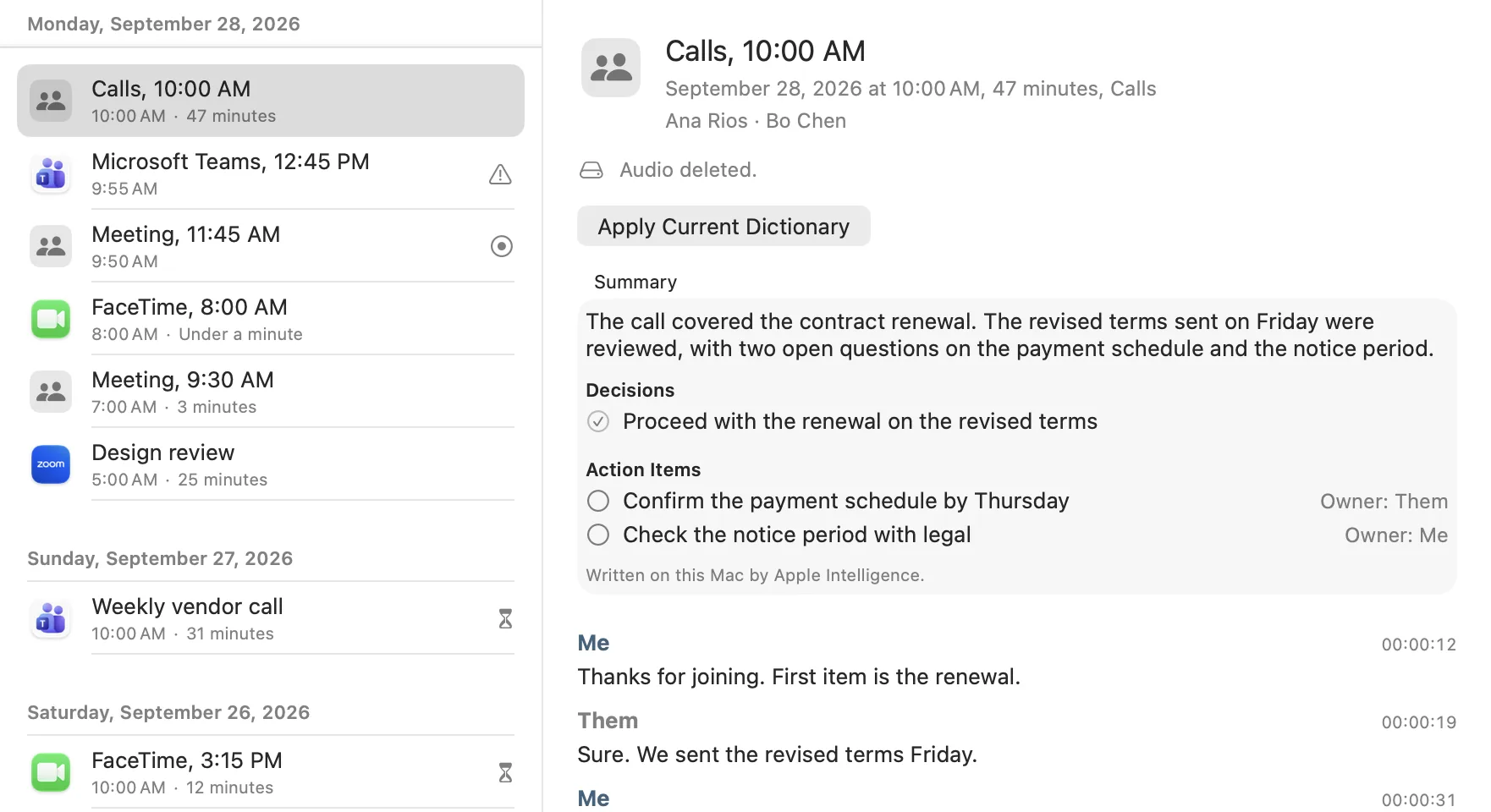
Summary
The call covered the contract renewal. The revised terms sent on Friday were reviewed, with two open questions on the payment schedule and the notice period.
Decision
✓ Proceed with the renewal on the revised terms
Next steps
○ Confirm the payment schedule by Thursday
○ Check the notice period with legal
Thanks for joining. First item is the renewal.
ThemSure. We sent the revised terms Friday.
Your words, your way.
Teach Jeronimo the names and phrases you use. Keep them on your other Macs if you choose.
Your names, spelled your way.
Add names and terms Jeronimo gets wrong to your Personal Dictionary. Say a short phrase to insert saved text, like an address or a reply you use often.
Pick up on your other Mac.
Turn on iCloud sync and your dictionary, snippets, and settings follow you. You can choose to sync dictations and meeting transcripts, too. Meeting audio stays on the Mac that recorded it.
See your words add up.
Activity shows how many words you dictated, how long you spoke, your meetings, and your streak. Share a card of your numbers. It never includes your words.
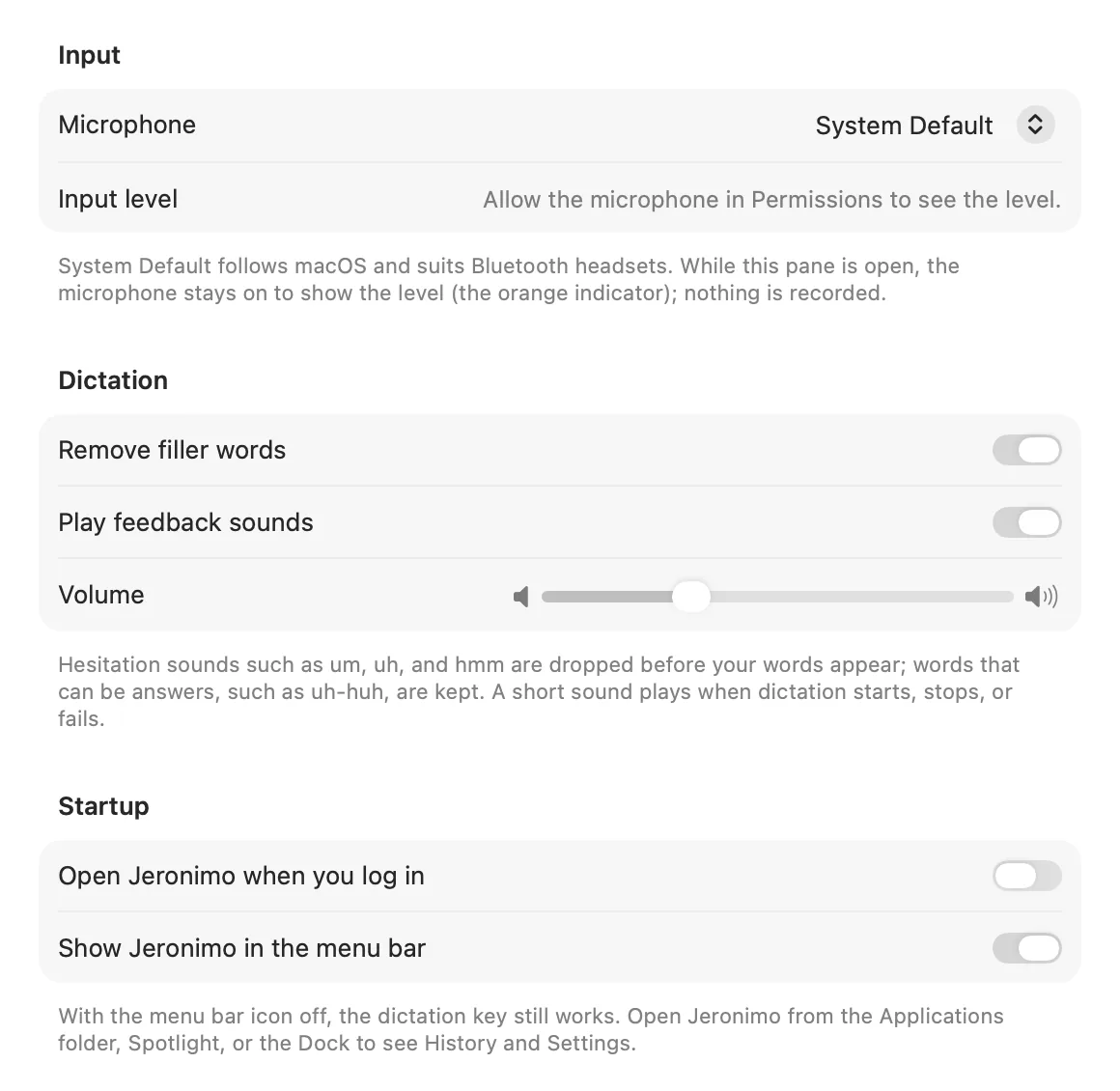
Jeronimo’s General settings, on a Mac desktop, with the listening pill.
Right at home on your Mac.
Jeronimo lives in your menu bar and stays out of the way. A small pill appears while it’s listening, and a soft sound marks the start and the end.
Built for Mac computers with Apple silicon running macOS 26 or later.
Ask Claude about your notes.
Connect Jeronimo to Claude. Ask about a meeting, find a decision, or bring back a dictation. Claude reads only the transcripts you allow, only while Jeronimo is open.
Off by default. Choose meetings, dictations, or both. Audio is never shared. What Claude reads becomes part of your conversation with Claude, under Claude’s terms.
How the Claude connection works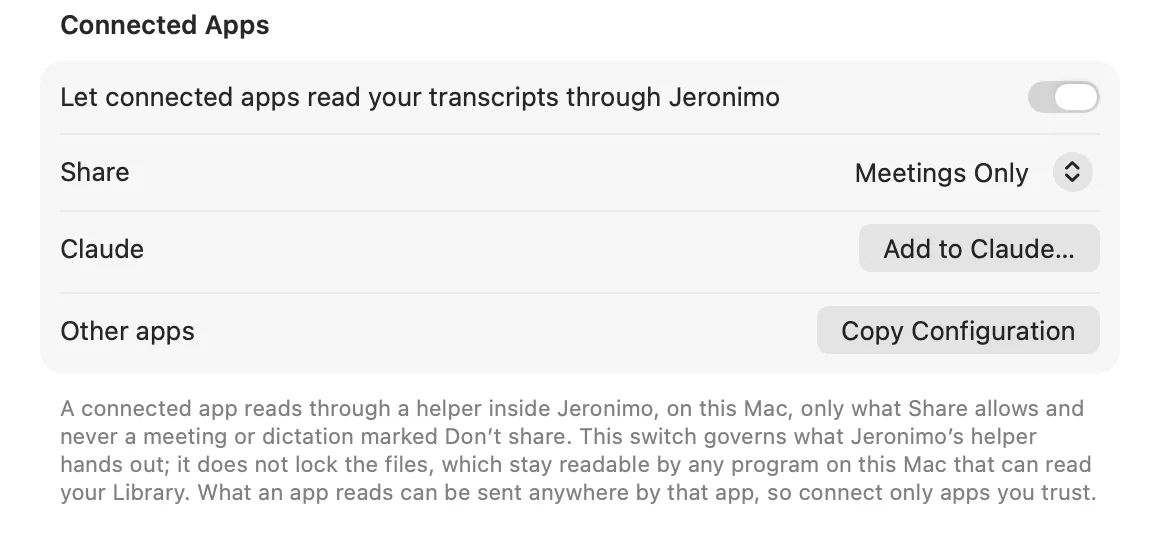
Jeronimo’s Privacy settings, with the connection turned on.
Free while it’s new.
Jeronimo is free during early access. Jeronimo will be a one-time purchase, not a subscription, when early access ends.
Download JeronimoApple silicon Mac, macOS 26 or later.